Author Archives: SQLGator
Corruption and Verifying Backups
This morning I had a conversation with a Subject Matter Expert and Application Administrator who asked me quite simply for a verified backup before he does an install on Saturday. My response was that I could test it manually for them and I was willing to do so but currently with our infrastructure the nightly backups are not tested without manual intervention. I have tried to change this policy for some time and unfortunately it may not occur until something bad happens. With this in mind, I do the best I can to minimize the risk given that I cannot automate a solution to restore databases on a regular basis as I would prefer. How can you minimize the risk?
- Use the WITH CHECKSUM option on your backup scripts. Read Paul Randall’s The Importance of Validating Backups article on SQL Server Central for more information.
- Use the RESTORE VERIFYONLY command (although we use Ola Hallengren’s Backup Solution which is the verify option which runs the command).
- Use the WITH CHECKSUM on the RESTORE command to recheck the page checksums in the backup as well as the backup file.
- Automate or manually restore your databases from scratch on a regular basis. (This is where we are lacking and where I want to take my servers).
- Once you have restored, then run DBCC CHECKDB against the restored database.
If you are not doing all five then you cannot say confidently that your backups are verified. However, if you are doing all five keep in mind that there is no fool proof guarantee against corruption, this merely minimizes the destruction by having viable backups. I hope this helps….Enjoy!
Changing of the Seasons
Today marks a major changing of the seasons for us here in Florida. It is the first day that we turned the air conditioner off for a few hours. Tonight is also supposed to be the first freeze of the year. We do not really call this winter because I wore shorts yesterday. It is more like autumn/spring as in its cooler but not freezing except for a few cold spells every now and again where people here think and act like its a blizzard. We will wrap our pump and cover some flowers that are not freeze hearty. Winter has begun in the sunshine state. Enjoy!
What’s New in SQL Server 2012
Since it is a holiday weekend, I thought I would give you something to chew on today. Having just installed SQL Server 2012 Developer on my personal laptop, I am wanting to test drive some new features. But what are they? Follow this link to MSDN to find out What’s New in SQL Server 2012.
I hope you are enjoying this long weekend, I know I am.
Enjoying the Holidays
Today I am enjoying the holidays with my family, I hope you are doing the same. Happy Thanksgiving.
Happy Thanksgiving
Happy Thanksgiving everyone! If you are reading this today, get off the computer and go spend some time with your family! Enjoy!
Testing Candidates?
When hiring SQL Server professionals it would seem to be a no brainer that you would test the candidates? Especially if you are looking for mid-range or senior level candidates. Maybe a technical interview gives you some level of insight into the candidate, but today I saw a DBA test and I was impressed. The test was simplistic in nature but the questions would definitely tell you whether the candidate could handle the day-to-day things that a mid-level DBA should come across. Obviously you could google the answers, so this would have to be administered on site.
What are your thoughts? Do you test your candidates?
Exploring SQL Server 2012: Code Snippets
One of the new features available in SQL Server 2012 is the Code Snippet Manager. Previously this was available through third-party tools and add-ins. The Code Snippets Manager is available through the Tools menu, along with some other nice built-in tools as well for this release.
Here you can see that there are many nice built-in code snippets included off the shelf. The tool allows you to insert the XML formatted snippets (a la Visual Studio). Click here for information on how to create your own snippets from the MSDN. Personally I think the interface should have the functionality to just insert snippets of code like other add-in tools, however it is better than what we had previously off-the-shelf.

Figure 1 – Code Snippet Manager
This looks great but there is no insert button to put these snippets into my code, I tried. So how do I enter the code into the query editor as I type? Hold the control button (CTRL) and then press the K and then X to begin the insert, and yes I know this is an awkward key combination (what where they thinking). See figure 2 and choose a category of snippets.
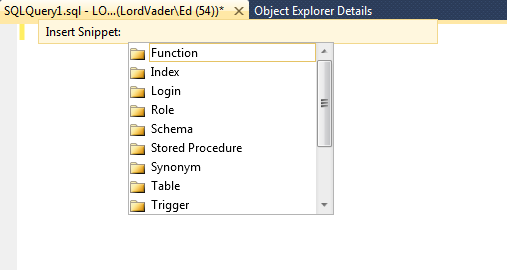
Figure 2 – Insert Snippet
After choosing a category then choose a snippet (see figure 3).
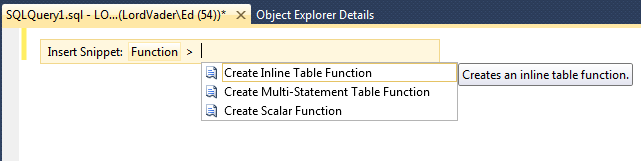
Figure 3 – Choose a Snippet
After choosing your snippet, it will be inserted into the query editor (see Figure 4). At this point you can customize the snippet to fit your code and you are done! Enjoy!

Figure 4 – The Finished Snippet
Updating SQL Server 2012 to SP1
With service pack 1 being released during SQL PASS Summit 2012, I did not get the chance to update my personal laptop. This is great timing as I have just purchased developer on my laptop. You can download the slipstream version or just the service pack separately. Are you curious as to what is new in SP1, then check this link out? It is also a good idea to read the release notes, which I always recommend but rarely do, unfortunately. It is similar to reading the directions, men rarely do that.
Here is the visual upgrade guide, quite simple really, so much so that even I can do it.
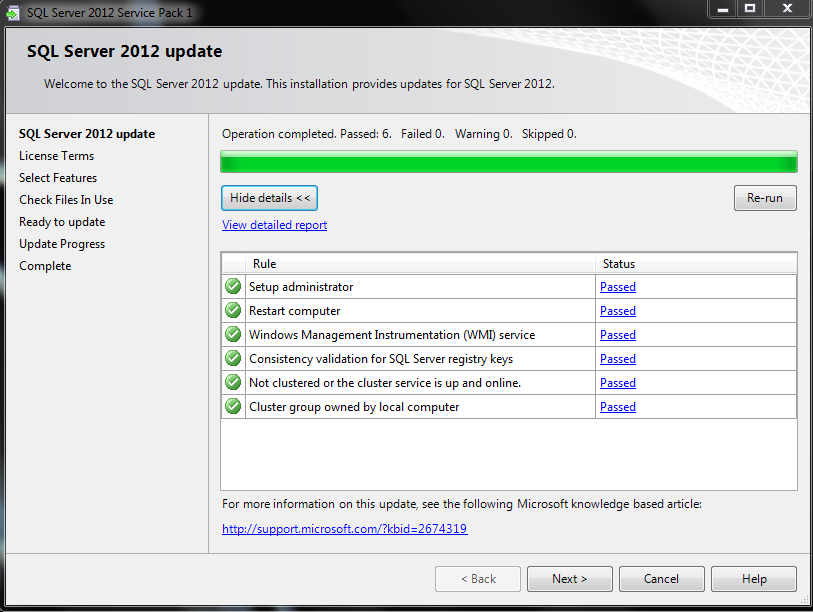

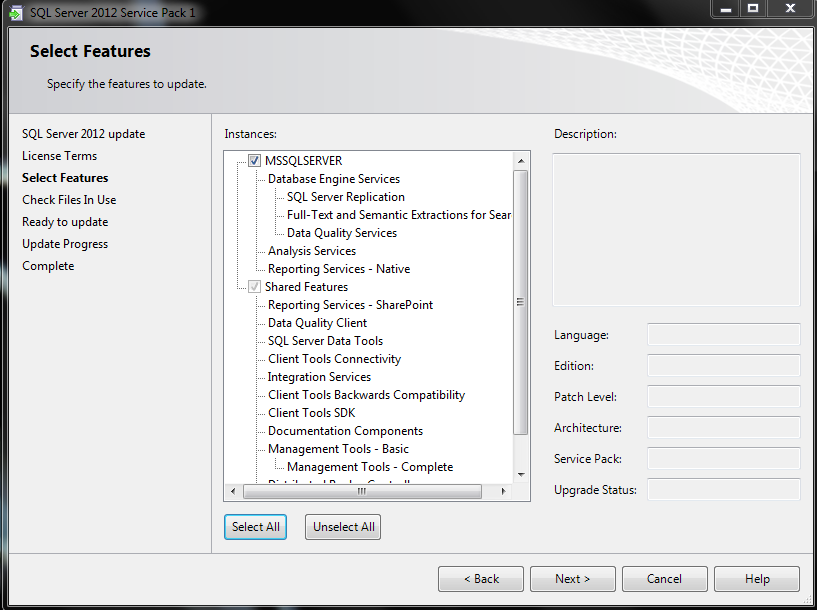
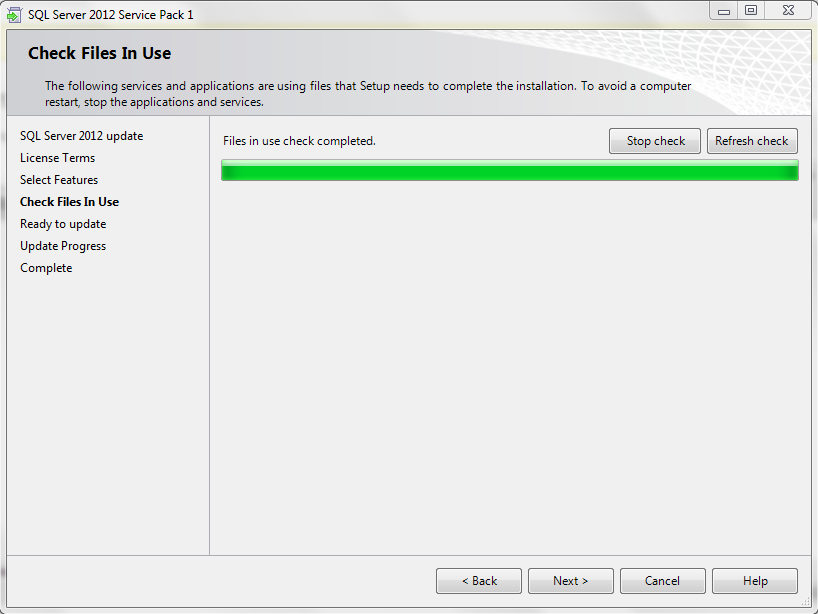


The update completed easily and successfully. Enjoy!
Hidden Gems for SQL 2008r2
Today I am going to bring you a great site, SQL Customer Advisory Team (SQLCAT) presents the Top Ten Hidden Gems in SQL Server 2008 R2. If you haven’t perused the SQL CAT website, do yourself a favor and check it out. Enjoy!
A SQL Bow Tie!
Check out my buddy’s new SQL bow ties!

Over at http://www.EllaBing.com they have a bow tie dedicated to us SQL DBA’s! Now how cool is that! They call it the Fragmented Index a fitting name if I do say so myself. Check it out!


 SQL Swampland